Linkedin post size: exact 2026 dimensions and specs guide
Clear LinkedIn strategy for people publishing with purpose.

On this page
- Hidden technical constraints: megapixels, safe zones, and compression
- Recommended linkedin post dimensions for feed images
- Linkedin video size and document carousel requirements
- Profile page dimensions and article feature image guidelines
- Optimizing specs for linkedin sponsored posts
- Streamlining post creation and formatting with Postwriter
- Mastering your visual assets for maximum engagement
- Frequently asked questions
- What is the optimal image size for a standard linkedin feed post?
- How many images can you upload in a single linkedin multi-image post?
- What are the recommended dimensions for a linkedin company page cover banner?
- What file formats and size limits apply to linkedin document carousels?
- Should I use PNG or JPEG for linkedin images?
- What size is a linkedin link preview image?
You upload a photo, hit post, and it looks fine in preview. Then it hits the LinkedIn feed cropped weird or fuzzy at the edges, because you guessed at the linkedin post size instead of matching what the platform actually wants. That gap between “looks fine on my screen” and “looks broken in the feed” is exactly what tanks reach.
Get the pixels and aspect ratio right, keep your file size under the platform’s limit, and upload natively instead of dropping in an outside link. Do that, and your LinkedIn post shows up sharp, fully framed, and ready to get pushed by the algorithm instead of buried.
This piece walks through the exact specs, why native beats linked, and how to stop guessing for good.
Hidden technical constraints: megapixels, safe zones, and compression

Megapixel limits and high-res uploads
LinkedIn quietly supports images up to 36 megapixels, way beyond what most spec sheets mention. That headroom matters if you’re posting on a retina display pixel density screen, where a soft, under-sized image gets pixel-doubled and looks fuzzy fast. Export your graphics large, then let LinkedIn scale down. Scaling down always looks cleaner than scaling up.
Mobile versus desktop cropping safe zones
Here’s the catch nobody puts on their specs sheet: mobile UI overlay safe zones aren’t the same as desktop crops. Profile banners and avatars get chewed up by buttons, name overlays, and message icons differently depending on screen width. A banner that looks great on a laptop can lose key text on a phone. Keep logos and headlines centered, away from the edges, so both layouts survive. For text-heavy carousels or infographics, lossless compression algorithms preserve sharp edges on vector graphics while keeping files under 8MB, which matters since crunched, blurry text kills readability on mobile screens faster than any bad aspect ratio choice.

Recommended linkedin post dimensions for feed images
Now let’s get to the actual numbers, since compression settings won’t save you if the canvas itself is wrong.
Single image and link preview sizes
For a single image feed post, 1200 x 627 pixels at a 1.91:1 aspect ratio is the sweet spot. That’s the same recommended resolution SocialPilot points to for clean link previews, and it holds up whether someone’s scrolling on a phone or a widescreen monitor. Keep file size under 5MB so LinkedIn doesn’t recompress it into mush.
Prefer a square photo instead? Go 1:1. Square crops display evenly across both mobile and desktop grids, so you’re not gambling on how LinkedIn’s algorithm trims your edges.
Multi-image carousel display limits
Multi-image posts let you upload up to 20 images in one go, which is plenty for a step-by-step breakdown or a product lineup. Each image in that set should still follow the same 1200 x 627 pixels guidance so the carousel doesn’t look like a mismatched slideshow when someone swipes through it.
Linkedin video size and document carousel requirements

Video and documents play by different rules than static images, so let’s cover those fast.
Video size and aspect ratios
Native video on LinkedIn has less wiggle room than image posts. You’re capped at a 5GB maximum file size, and LinkedIn wants footage between 3 seconds and 30 minutes long. Stick to a 1:2.4 to 2.4:1 aspect ratio range, but square (1:1) or vertical (9:16) both play nicely in-feed on mobile. Go outside those bounds and LinkedIn either rejects the upload or crops it in ways you didn’t plan for.
Document carousel format limits
Document carousels work differently than image carousels. You can upload PDF, PPTX, or DOCX files up to 100MB, and LinkedIn converts them into swipeable slides automatically. The catch is thumbnail scaling: LinkedIn shrinks each page down hard for the feed preview, so a 10pt body font that reads fine in the original file turns into a squint-fest on mobile. Keep headlines large and body text bold and minimal if you want the carousel legible before someone taps in.
Profile page dimensions and article feature image guidelines
Your profile banner and your company page banner are not interchangeable files. Upload the wrong size to the wrong spot and LinkedIn will crop your carefully designed graphic into something unrecognizable. Knowing the exact specs for each surface, plus the size rules for article feature images, saves you a re-upload headache later.
Personal profile banner
Your personal background photo runs 1584 x 396 pixels. That’s a wide, short banner sitting behind your headshot and headline, so anything text-heavy near the edges gets covered by your profile photo circle and name block. Keep important text and logos centered, and treat the outer edges as bleed space you’re willing to lose.
Company page cover banner
Company pages use a different canvas: 1128 x 191 pixels for the cover banner. That’s a much shorter, flatter strip than the personal version, which trips up a lot of brand teams who just resize their personal banner and call it done. Design for that squat aspect ratio from scratch, keep your logo and tagline
Optimizing specs for linkedin sponsored posts
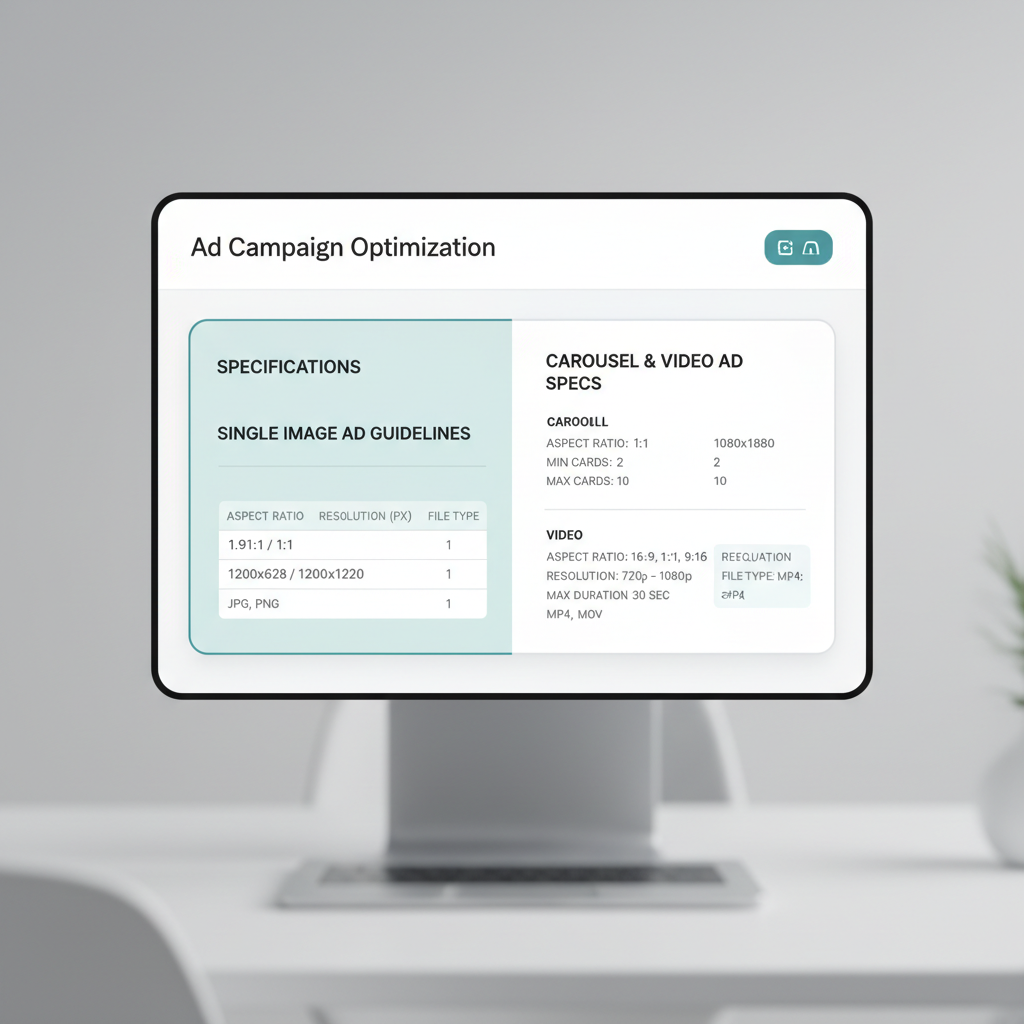
Paid promotion plays by different rules than your organic feed. LinkedIn sponsored posts get reviewed by an ad system that rejects anything outside spec, no warnings, no auto-cropping favors.
Single image ad guidelines
Single image ads want 1200×627 pixels, landscape only. Square or vertical crops get squeezed to fit and look off. Cap file size at 5MB, JPG or PNG. Miss the ratio and the ad gets flagged in review instead of going live.
Carousel and video ad specs
Carousel ad cards need a strict 1:1 square, 1080×1080 pixels minimum, so every card lines up cleanly as people swipe. Mixed ratios across cards get rejected outright. Video ads follow their own aspect ratio and file size ceiling, separate from the image specs above.
Bottom line: organic posts forgive an odd crop. Sponsored campaigns don’t, so check dimensions before you upload, not after rejection.
Streamlining post creation and formatting with Postwriter
Getting your crop and file size right doesn’t matter much if the caption above it sounds like nobody. That’s the real reach killer.
Overcoming generic AI writing
Generic AI tools flatten everyone into the same voice: same openers, same “here’s the thing” cadence, same hedge-everything tone. Readers notice fast, and LinkedIn’s feed rewards posts that sound like an actual human said them. If you want a sharper starting point, this breakdown of what makes a LinkedIn post get engagement in 2026 covers hooks and structure worth stealing.
Scaling content with Postwriter
Postwriter solves the voice problem by studying your existing posts, your vocabulary, and your usual tone, then generating a LinkedIn post that actually reads like you wrote it. Once the draft’s right, its formatting tools handle line breaks and spacing, and the scheduling calendar queues it for publishing without a separate app. That’s the workflow: write in your voice, format once, schedule, done. Before you post, run any image through a free LinkedIn image downloader to double-check what you’re about to publish.
Mastering your visual assets for maximum engagement
Getting your dimensions right isn’t a one-time fix. It’s the foundation you build every future post on, and it’s worth treating that way.
Why sizing discipline pays off long-term
Every time you upload a graphic without checking the specs, you’re gambling with how your brand looks on someone else’s screen. A banner that’s crisp on your laptop can turn soft and pixelated the moment it renders on a Pixel 7 in portrait mode or stretches across a 27-inch iMac at someone’s desk. Sticking to the right aspect ratio and respecting the pixels minimum width LinkedIn expects means your logo, text overlays, and product shots hold their shape no matter what’s doing the rendering.
This matters more on LinkedIn than on most networks because the audience skews toward desktop use during work hours and mobile use during commutes. One image, two very different rendering environments. Nail the ratio once, and you stop re-fighting that battle with every new post.
Build the habit into your workflow, not just your file
A perfectly sized graphic still underperforms if it ships inconsistently. Pair your sizing checklist with a repeatable process: template your LinkedIn post dimensions in Canva or Figma, save them as reusable presets, and route everything through the same export settings before it ever reaches the composer.
Keep a simple pre-publish routine:
- Confirm the aspect ratio matches the format (single image, carousel, or document post) before exporting.
- Check the file against LinkedIn’s maximum file size so it doesn’t get silently compressed or rejected on upload.
- Save a master template with your correct linkedin post size baked in, so every teammate pulls from the same
You may also find Free LinkedIn Post Date Extractor – Extract Publication Dates | Postwriter useful. For more, see LinkedIn Post Formatter – Free Text Formatting Tool | Postwriter.
Frequently asked questions
What is the optimal image size for a standard linkedin feed post?
The industry standard for feed visibility and link previews is 1200 x 627 pixels with a 1.91:1 aspect ratio. This ensures your graphics render cleanly on both mobile and desktop screens without unwanted cropping or compression artifacts.
How many images can you upload in a single linkedin multi-image post?
LinkedIn supports uploading up to 20 images in a single post, which display in an interactive grid or carousel format. This is ideal for multi-step tutorials, photo dumps, or visual storytelling.
What are the recommended dimensions for a linkedin company page cover banner?
Company page cover banners require a dimension of 1128 x 191 pixels. Note that this differs from personal profile banners, so verify your layout to avoid crucial text being hidden by profile UI elements.
What file formats and size limits apply to linkedin document carousels?
LinkedIn supports PDF, PPTX, and DOCX files for document carousels, up to a maximum file size of 100MB. PDFs are generally recommended to preserve font rendering and layout integrity across all devices.
Should I use PNG or JPEG for linkedin images?
JPEG is best for standard photographs and complex color gradients to keep file sizes small. PNG is optimal for vector graphics containing sharp text, UI screenshots, or transparent elements where crisp edge definition matters.
What size is a linkedin link preview image?
A LinkedIn link preview image should match the standard feed post dimension of 1200 x 627 pixels (1.91:1 aspect ratio). When sharing articles or external links, having an image set to this dimension prevents awkward cropping.
Turn this into a LinkedIn post
Use Postwriter to turn a topic, source, or rough idea into a draft that keeps your voice and gives you something worth editing.
See how Postwriter works