Free LinkedIn Image Downloader
Download LinkedIn post images, photos, carousel visuals, and shared media from public post URLs
Extract and download images from any LinkedIn post
LinkedIn Image Downloader
Extract and download images from LinkedIn posts in 3 simple steps
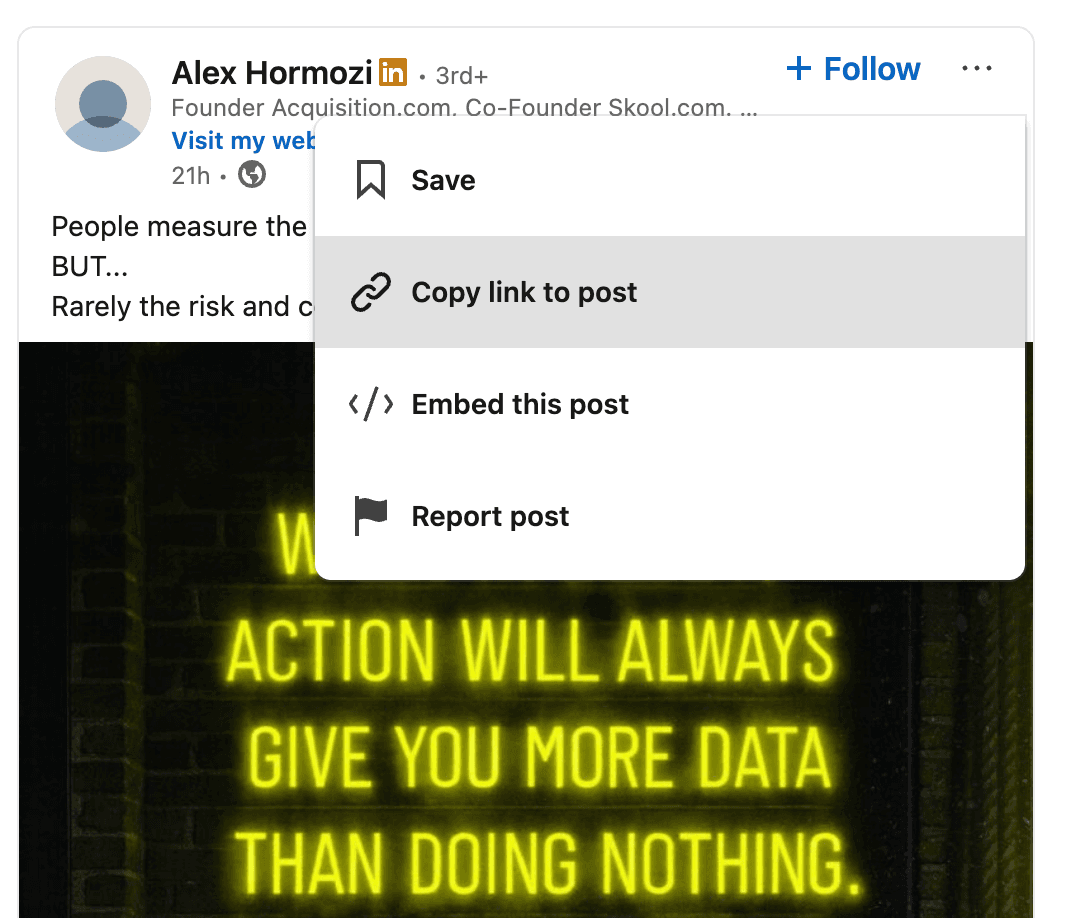
1Copy LinkedIn Post URL
Navigate to a LinkedIn post that contains images and copy the URL from your browser's address bar. The post should have visible images or media content.
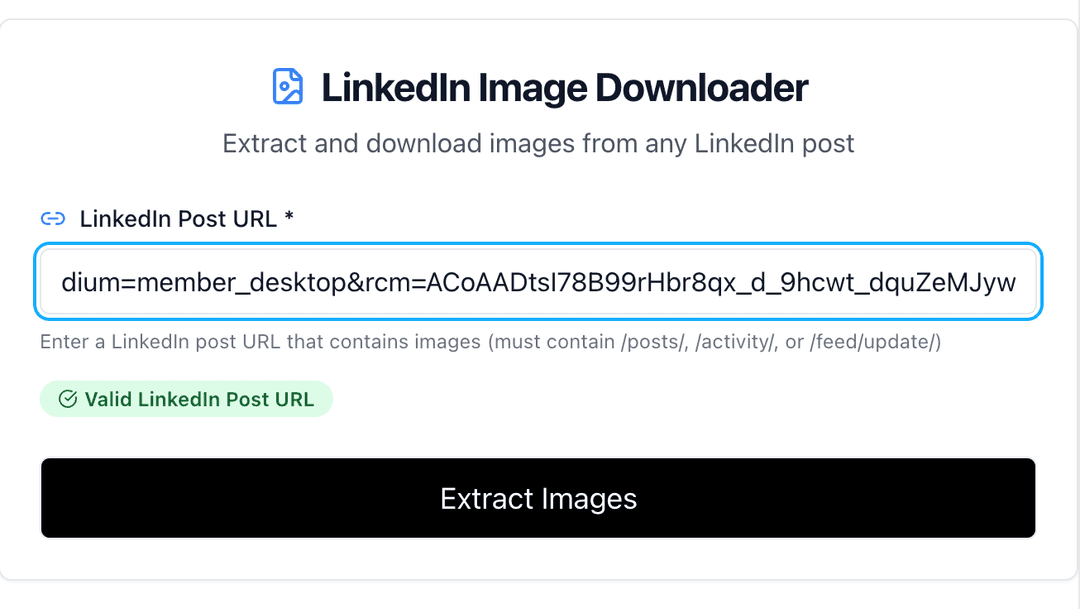
2Extract Images from Post
Paste the LinkedIn post URL into our tool. We'll automatically scan the post and extract all images, including carousel images and media attachments.
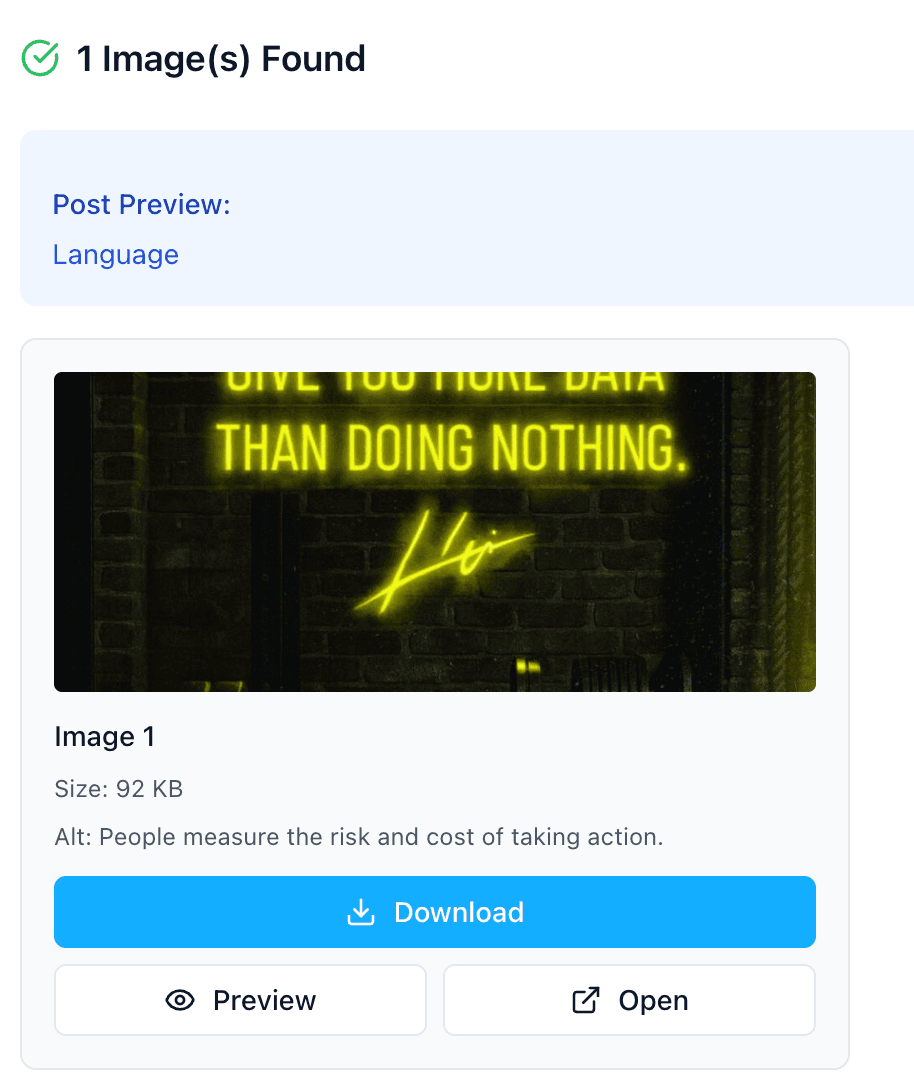
3Download Images
Preview all extracted images and download them individually or all at once. Images are saved in high quality with automatic filename generation.
LinkedIn Photo Downloader for Post Images
Use this tool when you need to save images from LinkedIn posts: single photos, carousel slides, article media, screenshots, infographics, or other visuals attached to a public post.
If you are trying to download a profile photo, use the LinkedIn Profile Picture Downloader instead. Separating post images from profile pictures helps you get the right downloader for the right LinkedIn URL type.
Why Download Images from LinkedIn Posts?
LinkedIn posts often contain valuable visual content including infographics, charts, product images, and presentations. Our tool helps you extract these images for legitimate business and research purposes.
- Save valuable infographics and educational content for reference
- Collect competitive intelligence and market research visuals
- Archive important charts, graphs, and data visualizations
- Build inspiration boards for design and marketing projects
- Create content libraries from industry thought leaders
- Extract product images and screenshots for analysis
Need More LinkedIn Content Tools?
Discover our complete suite of LinkedIn tools for content extraction, creation, and optimization.
Explore All LinkedIn ToolsSupported Image Types & Formats
1. Single Images
Standard single images posted directly to LinkedIn feeds, including photos, screenshots, and graphics.
2. Carousel Images
Multiple images in carousel format that users can swipe through in LinkedIn posts.
3. Document Images
Images extracted from PDF documents and presentations shared on LinkedIn.
4. Article Images
Featured images and inline graphics from LinkedIn articles and native content.
Common Use Cases for LinkedIn Image Downloads
Market Research
Collect competitor visuals, industry trends, and market insights from LinkedIn thought leaders and companies.
Content Inspiration
Save high-performing visual content as inspiration for your own design and marketing materials.
Educational Archives
Archive valuable educational content, infographics, and learning materials shared by experts.
Product Research
Extract product images, feature screenshots, and technical diagrams for product development research.
Image Quality & Technical Information
📋 Image Quality Standards
- • Original resolution maintained (up to 2048x2048 pixels)
- • No compression or quality loss during extraction
- • Supports all major image formats (JPEG, PNG, GIF, WebP)
- • Preserves image metadata when available
✅ Download Features
- • Individual image downloads with custom filenames
- • Bulk download option for multiple images
- • Preview functionality before downloading
- • Direct link access for sharing or embedding
- • Automatic image dimension and size detection
Best Practices & Legal Considerations
⚖️ Legal & Ethical Usage
- • Only download images from public posts
- • Respect copyright and intellectual property rights
- • Use downloaded images for legitimate business purposes
- • Provide attribution when using images publicly
- • Consider fair use guidelines for research and education
Can't extract images from a post?
Make sure the post is public and contains visible images. Private posts, posts without images, or posts with restricted media cannot be processed.
Why do some images appear low quality?
Image quality depends on the original upload quality. Our tool preserves the exact quality as stored by LinkedIn without any additional compression.
Is there a limit to downloads?
No, our LinkedIn Image Downloader is completely free with unlimited downloads. No registration required and no restrictions on usage.
Other LinkedIn Tools
- All LinkedIn Tools
- LinkedIn Post Generator
- LinkedIn Post Ideas Generator
- LinkedIn Carousel Generator
- LinkedIn Hashtag Generator
- LinkedIn Headline Generator
- LinkedIn Summary Generator
- LinkedIn Engagement Rate Calculator
- LinkedIn Post Date Extractor
- LinkedIn Text Formatter
- LinkedIn Post Formatter
- LinkedIn Profile Picture Downloader
- LinkedIn Image Downloader
- LinkedIn Video Downloader
Frequently Asked Questions
Access the all-in-one,
AI-powered LinkedIn tool to build your personal brand.
Turn ideas into posts that sound like you, schedule them, and grow your audience — all in one place.
Try Postwriter for Free