Free LinkedIn Post Date Extractor - Extract Publication Dates
Extract publication dates and timestamps from any LinkedIn post in multiple formats
Extract publication dates and timestamps from any LinkedIn post
LinkedIn Post Date Extractor
Extract publication dates from LinkedIn posts in 3 simple steps
1Copy LinkedIn Post URL
Navigate to any LinkedIn post and copy the URL from your browser's address bar. The URL should contain /posts/, /activity/, or /feed/update/.
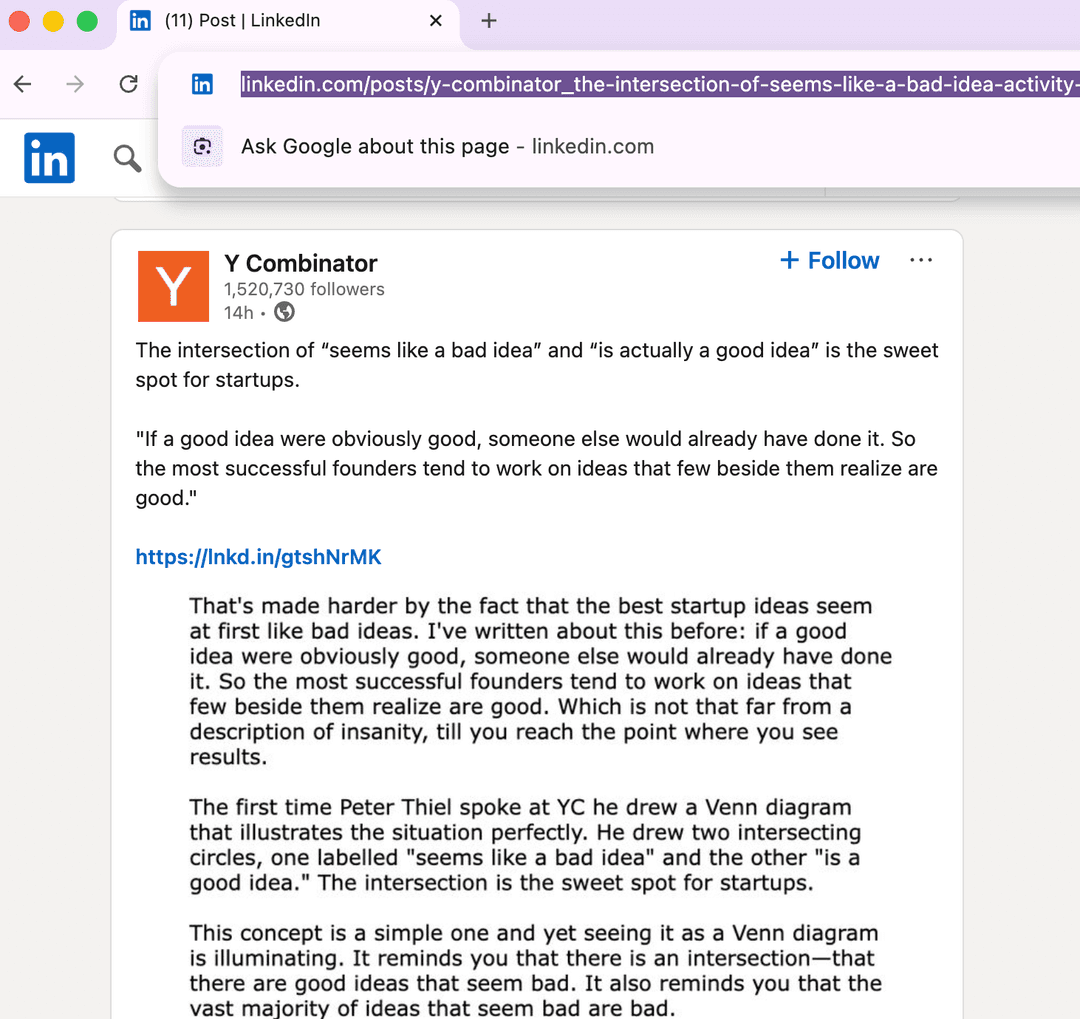
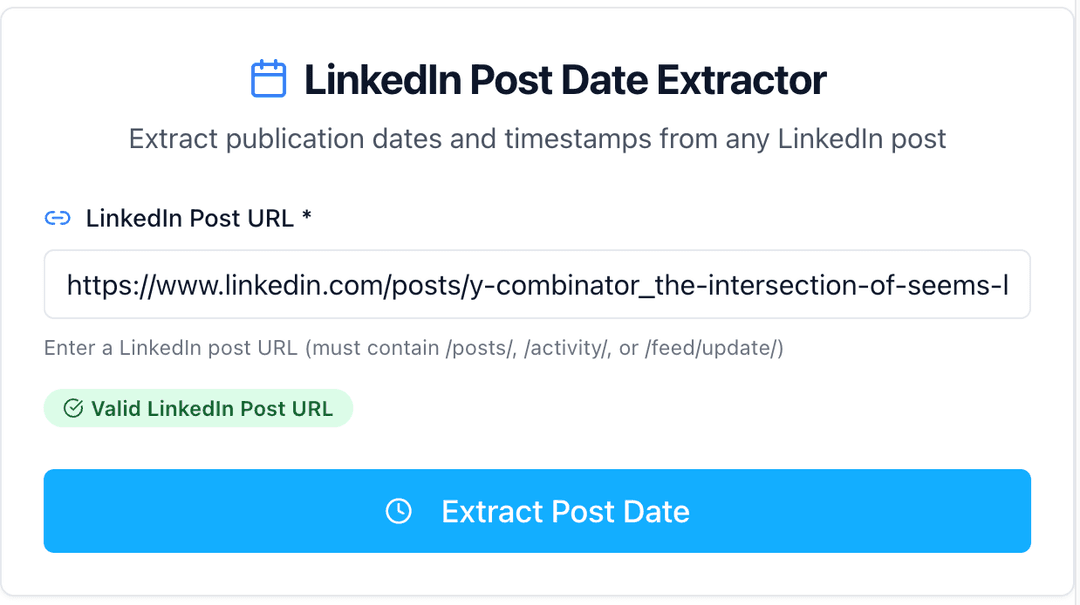
2Paste URL in Our Tool
Paste the LinkedIn post URL into our extraction tool. We'll automatically validate the URL format and extract the publication date.
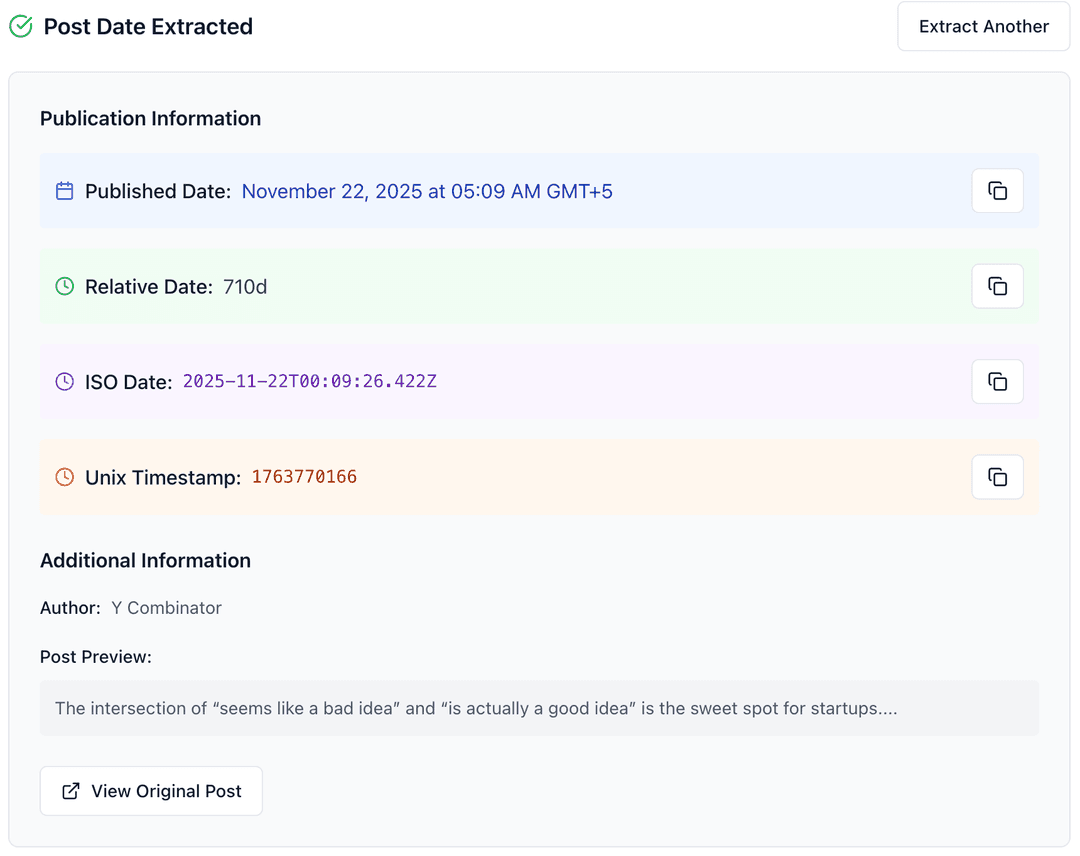
3Get Date Information
Extract comprehensive date information including formatted date, relative time, ISO timestamp, and Unix timestamp in multiple formats.
Why Extract LinkedIn Post Dates?
Understanding when content was published is crucial for content analysis, research, and competitive intelligence. Our tool provides comprehensive date information in multiple formats for various use cases.
- Analyze content performance and engagement patterns over time
- Track competitor posting schedules and content frequency
- Research trending topics and viral content timing
- Build content calendars based on successful posting patterns
- Validate content freshness for research and citations
- Create timeline analyses for brand monitoring and PR
Need More LinkedIn Analytics?
Discover our complete suite of LinkedIn tools for content analysis, creation, and optimization.
Explore All LinkedIn ToolsDate Format Guide & Usage
1. Formatted Date (Human-Readable)
Perfect for reports, presentations, and documentation where readability is important.
2. Relative Date (Time Ago)
Shows how long ago the post was published, useful for understanding content freshness.
3. ISO Date (Standard Format)
International standard format ideal for APIs, databases, and programming applications.
4. Unix Timestamp (Numeric)
Numeric representation of time, perfect for calculations and system integrations.
Common Use Cases for Post Date Extraction
Content Research
Track when competitors post content and analyze posting patterns for optimal timing strategies.
Performance Analysis
Correlate post publication dates with engagement metrics to identify peak performance times.
Academic Research
Verify publication dates for citations and build chronological analyses of content evolution.
Brand Monitoring
Track mention dates and create timelines for brand sentiment analysis and crisis management.
Technical Information & Supported Formats
📋 Supported URL Formats
- • linkedin.com/posts/username_activity-id
- • linkedin.com/feed/update/urn:li:activity:id
- • linkedin.com/feed/update/urn:li:share:id
- • Mobile and desktop URLs automatically detected
✅ Output Formats
- • Human-readable formatted date with timezone
- • Relative time (e.g., "3 days ago")
- • ISO 8601 standard format for APIs
- • Unix timestamp for calculations
- • One-click copy to clipboard for all formats
Troubleshooting & FAQs
Can't extract date from a post?
Make sure the post is public and the URL is complete. Private posts or incomplete URLs cannot be processed. The URL should include the full post identifier.
Why are there multiple date formats?
Different use cases require different formats. Human-readable for presentations, ISO for databases, Unix timestamps for calculations, and relative dates for freshness assessment.
Is this tool free to use?
Yes, our LinkedIn Post Date Extractor is completely free. No registration required, no limits, and no watermarks on the extracted data.
How accurate are the extracted dates?
Our tool extracts the exact publication date as stored by LinkedIn. Accuracy depends on LinkedIn's own data integrity and timezone handling.
Other LinkedIn Tools
- All LinkedIn Tools
- LinkedIn Post Generator
- LinkedIn Post Ideas Generator
- LinkedIn Carousel Generator
- LinkedIn Hashtag Generator
- LinkedIn Headline Generator
- LinkedIn Summary Generator
- LinkedIn Engagement Rate Calculator
- LinkedIn Post Date Extractor
- LinkedIn Text Formatter
- LinkedIn Post Formatter
- LinkedIn Profile Picture Downloader
- LinkedIn Image Downloader
- LinkedIn Video Downloader
Frequently Asked Questions
Access the all-in-one,
AI-powered LinkedIn tool to build your personal brand.
Turn ideas into posts that sound like you, schedule them, and grow your audience — all in one place.
Try Postwriter for Free