LinkedIn Video Downloader
Download LinkedIn videos from public posts for free and save them as MP4 files.
Free LinkedIn Video Downloader
Paste a LinkedIn post URL, preview the video, and download it in 3 easy steps.
1Copy the Video URL
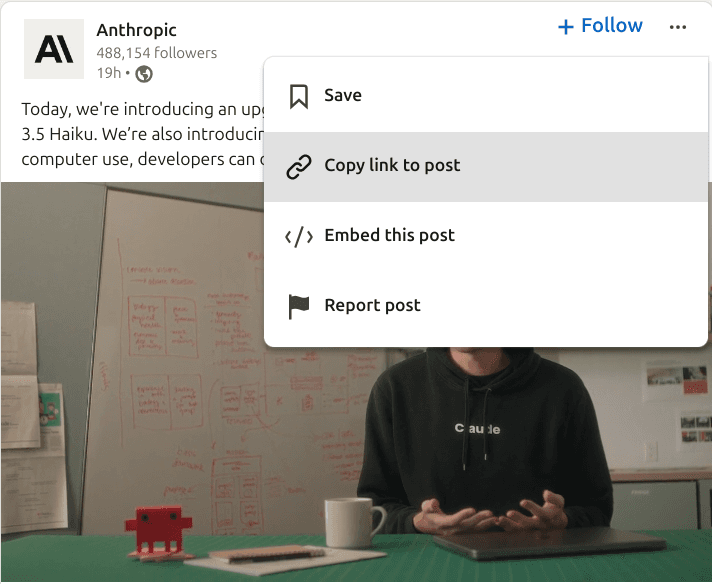
To download any LinkedIn video from your feed, click the 3 dots on the top right corner of the post and select the Copy link to post option.
2Paste the Video URL
Go to PostWriter's LinkedIn video downloader and paste the video URL.

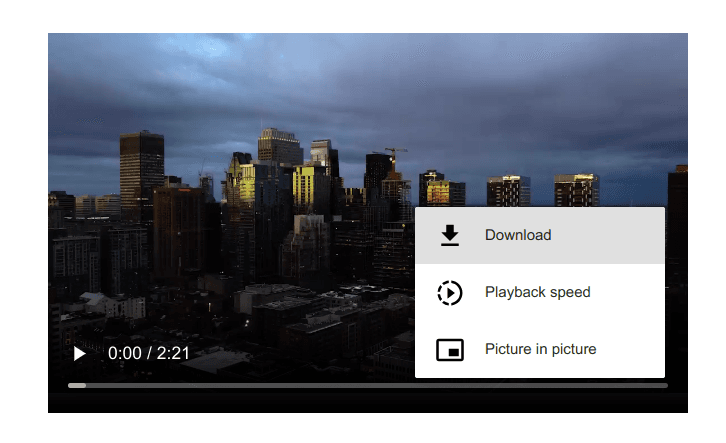
3Click the Download Your Video Button
There is no limit on how many LinkedIn videos you can download, and there are no hidden costs. You can use the video downloader as many times as you want.
Save LinkedIn Videos From Public Posts
Use this page for searches like LinkedIn video downloader, download LinkedIn video, save LinkedIn video, LinkedIn video downloader free, and download video from LinkedIn post.
The downloader works best with public LinkedIn post URLs. Private posts, restricted media, and posts without videos cannot be processed.
Why Videos Are Good for LinkedIn
We see a tendency in the rise of short-form content. People are skimming their LinkedIn feed, no longer having time to read long text-only posts. Videos are the best way to catch their attention and generate immediate engagement.
- LinkedIn video posts generated over 300 million impressions after one year of release.
- LinkedIn videos get 3 times more engagement than text posts.
- LinkedIn members are 5 times more likely to connect and start conversations on LinkedIn native videos.
- 85% of B2B marketers see video as an effective tool for generating leads.
- 78% say it helps to increase brand awareness.
Looking to Grow on LinkedIn?
Access the all-in-one, AI-powered LinkedIn tool to build your personal brand.
Try PostWriter for FreeMost Effective Tactics for LinkedIn Videos
- Optimize the Video Length: Videos under 30 seconds have 23% more user engagement.
- Add Subtitles: 85% of LinkedIn videos are watched with no sound. Subtitles increase engagement and accessibility.
- Leverage Visual Impact: Viewers retain 95% of a message delivered through video, compared to 10% through text.
- Write a Short Description: Include an eye-catching intro, emojis, or start with a hook to increase visibility.
- Include a Call-to-Action: Use the first comment to guide your audience on what to do next, providing relevant links or tools.
Benefits of Posting Video Content on LinkedIn
1. Higher Engagement
LinkedIn videos get 5x more engagement, helping you catch your audience's attention and get more likes, comments, and shares.
2. Better Brand Building
Posting videos that match your brand identity helps build recognition among LinkedIn connections. Ensure your content aligns with your professional image.
3. Stand Out from the Crowd
Videos grab attention more effectively than text or images, especially as people scroll through their feeds. They help your business stand out in a crowded space.
Other LinkedIn Tools
- All LinkedIn Tools
- LinkedIn Post Generator
- LinkedIn Post Ideas Generator
- LinkedIn Carousel Generator
- LinkedIn Hashtag Generator
- LinkedIn Headline Generator
- LinkedIn Summary Generator
- LinkedIn Engagement Rate Calculator
- LinkedIn Post Date Extractor
- LinkedIn Text Formatter
- LinkedIn Post Formatter
- LinkedIn Profile Picture Downloader
- LinkedIn Image Downloader
- LinkedIn Video Downloader
Frequently Asked Questions
Access the all-in-one,
AI-powered LinkedIn tool to build your personal brand.
Turn ideas into posts that sound like you, schedule them, and grow your audience — all in one place.
Try Postwriter for Free