Free LinkedIn Profile Picture Downloader
Download high-quality LinkedIn profile pictures, profile photos, and profile images from public profiles in seconds
Extract and download profile pictures from any public LinkedIn profile
Profile Photo or Post Image?
This downloader is built for LinkedIn profile pictures, profile photos, and profile image URLs. If you need to download photos or images attached to a LinkedIn post, use the LinkedIn Image Downloader.
LinkedIn Profile Photo and Image Downloader
Extract profile images from LinkedIn profiles in 3 simple steps
1Copy LinkedIn Profile URL
Navigate to any public LinkedIn profile and copy the URL from your browser's address bar. The URL should look like linkedin.com/in/username.
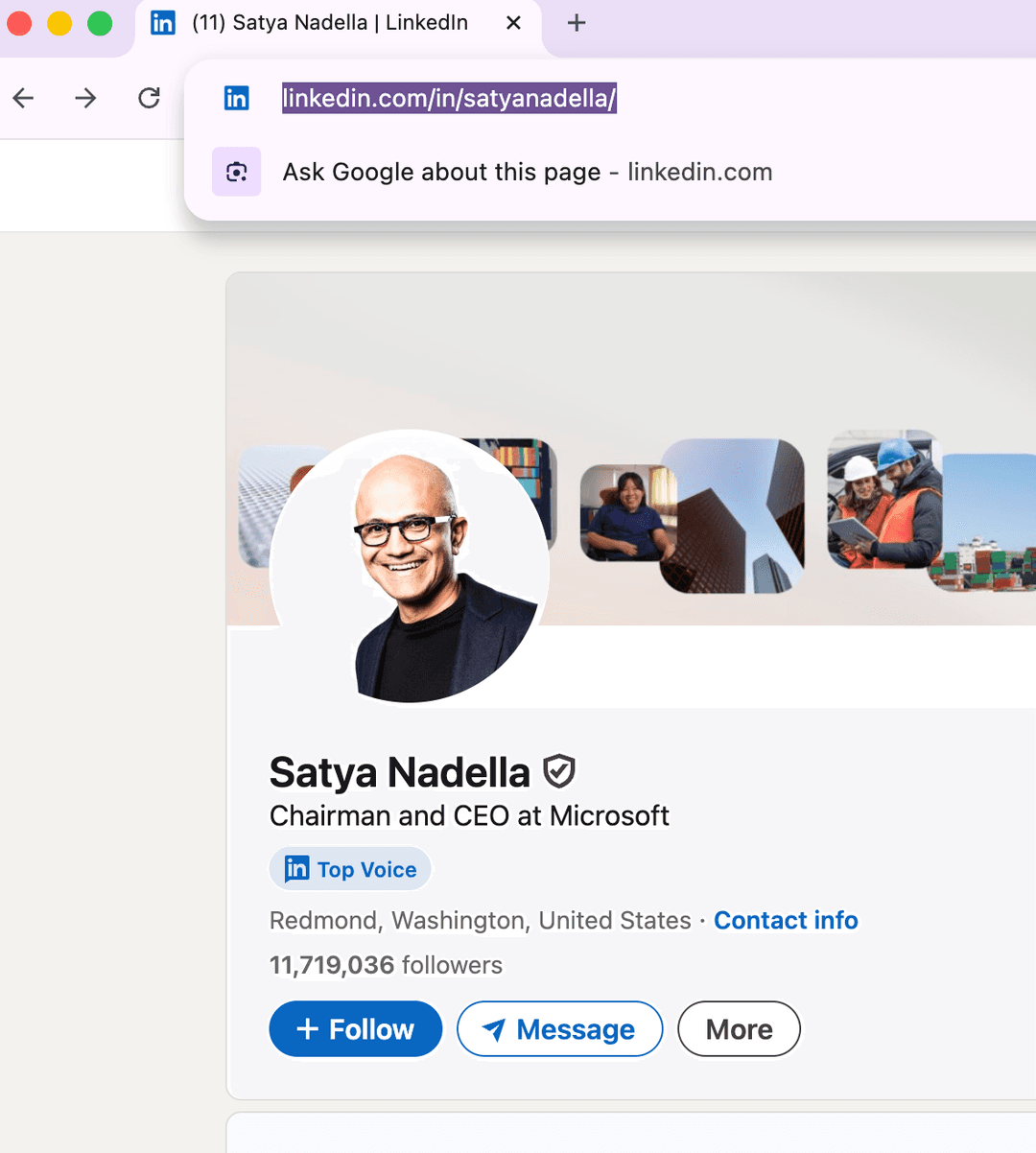
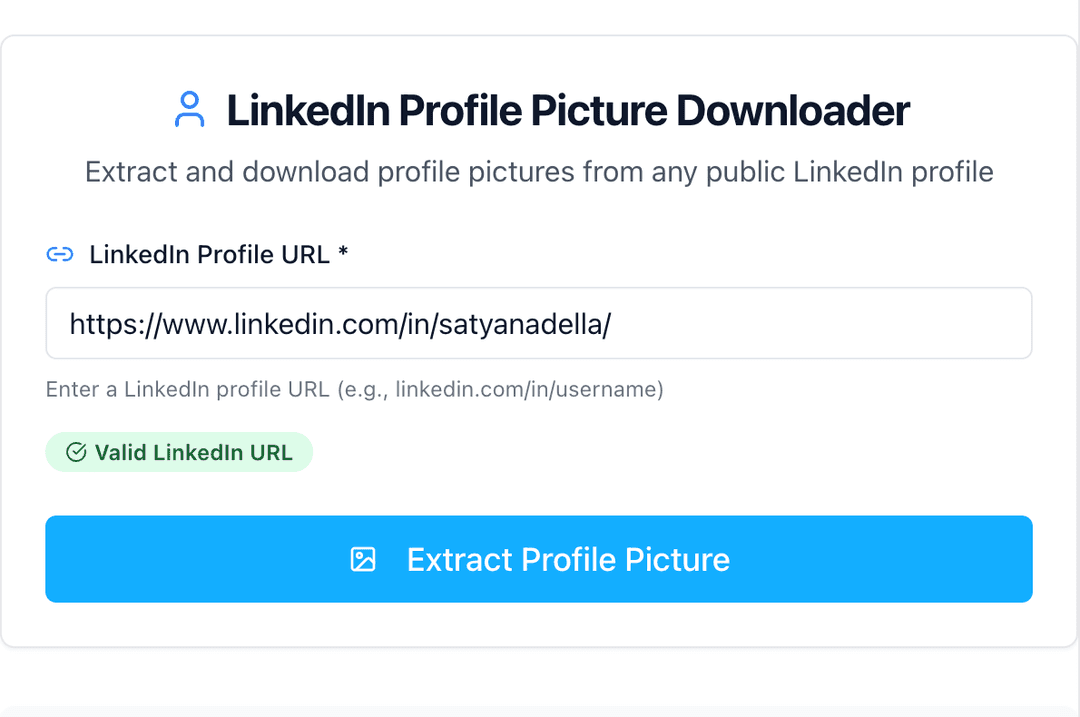
2Paste URL in Our Tool
Paste the LinkedIn profile URL into our extraction tool. We'll automatically detect and validate the URL format for you.
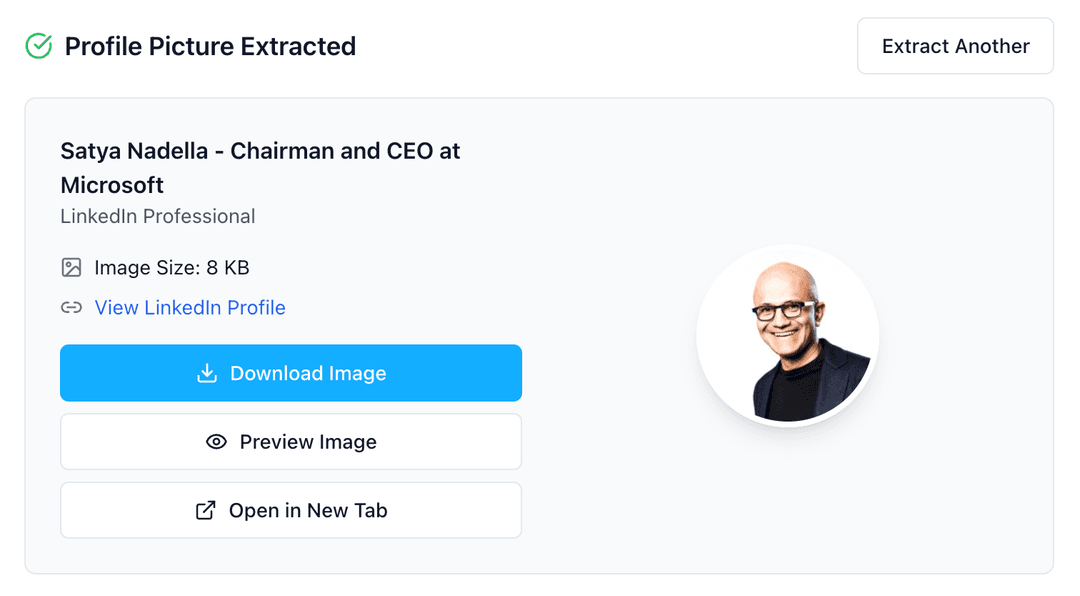
3Download Profile Picture
Click extract to get the profile picture. You can preview, download, or open the image in a new tab with high quality preserved.
Download LinkedIn Profile Photos, Pictures, and Images
Use this tool as a LinkedIn profile picture downloader, LinkedIn profile photo downloader, profile image saver, or PFP downloader. It is built for public profile images, including profile photos, profile pics, and full-size profile picture previews.
If you need to save images from LinkedIn posts, carousels, or article media instead of a profile photo, use the LinkedIn Image Downloader.
Why Download LinkedIn Profile Pictures?
Profile pictures are essential for various professional and business purposes. Our tool helps you extract high-quality LinkedIn profile images quickly and efficiently for legitimate use cases.
- Create professional team directories and organizational charts
- Build comprehensive CRM systems with visual contact information
- Develop presentations and reports featuring team members or clients
- Maintain updated contact databases with current profile images
- Create marketing materials featuring customer testimonials
- Build internal company directories and employee handbooks
Need More LinkedIn Tools?
Discover our complete suite of LinkedIn tools to enhance your professional networking and content creation.
Explore All LinkedIn ToolsBest Practices for Using LinkedIn Profile Pictures
1. Respect Privacy and Terms of Service
Only download profile pictures from public profiles and use them for legitimate business purposes. Always respect LinkedIn's terms of service and individual privacy preferences.
2. Use for Professional Purposes
Profile pictures should be used for business-related activities such as CRM systems, team directories, presentations, or organizational charts.
3. Maintain Image Quality
Our tool extracts the highest quality version available. Save images in their original format to maintain clarity for professional documents and presentations.
4. Keep Information Current
LinkedIn users frequently update their profile pictures. Regularly refresh your saved images to ensure you have the most current professional photos.
Common Use Cases for Profile Picture Downloads
Human Resources
Create employee directories, organizational charts, and onboarding materials with current profile photos.
Sales & CRM
Enhance your CRM system with visual contact information to improve relationship management.
Marketing & Presentations
Use in marketing materials, case studies, testimonials, and business presentations.
Event Management
Create speaker directories, attendee lists, and networking guides for professional events.
Technical Information & Image Quality
📋 Image Specifications
- • Format: JPEG (most common), PNG (some profiles)
- • Typical Size: 400x400 to 800x800 pixels
- • Quality: High resolution, optimized for professional use
- • Aspect Ratio: Square (1:1) for most profile pictures
✅ Tool Features
- • Instant extraction from any public LinkedIn profile
- • High-quality image preservation
- • Preview before download functionality
- • Automatic filename generation based on profile name
- • Support for all major image formats
Troubleshooting & FAQs
Can't extract a profile picture?
Make sure the profile is public and has a profile picture. Private profiles or profiles without images cannot be processed. The URL should contain '/in/' or '/pub/'.
Image quality seems low?
Our tool extracts the highest quality version available from LinkedIn. Image quality depends on what the user originally uploaded to their profile.
Is this tool free to use?
Yes, our LinkedIn Profile Picture Downloader is completely free to use. No registration required, no watermarks, and unlimited downloads.
Does this work on mobile devices?
Yes, our tool is fully responsive and works on all devices including smartphones, tablets, and desktop computers across all major browsers.
Related LinkedIn Tools
Other LinkedIn Tools
- All LinkedIn Tools
- LinkedIn Post Generator
- LinkedIn Post Ideas Generator
- LinkedIn Carousel Generator
- LinkedIn Hashtag Generator
- LinkedIn Headline Generator
- LinkedIn Summary Generator
- LinkedIn Engagement Rate Calculator
- LinkedIn Post Date Extractor
- LinkedIn Text Formatter
- LinkedIn Post Formatter
- LinkedIn Profile Picture Downloader
- LinkedIn Image Downloader
- LinkedIn Video Downloader
Frequently Asked Questions
Access the all-in-one,
AI-powered LinkedIn tool to build your personal brand.
Turn ideas into posts that sound like you, schedule them, and grow your audience — all in one place.
Try Postwriter for Free